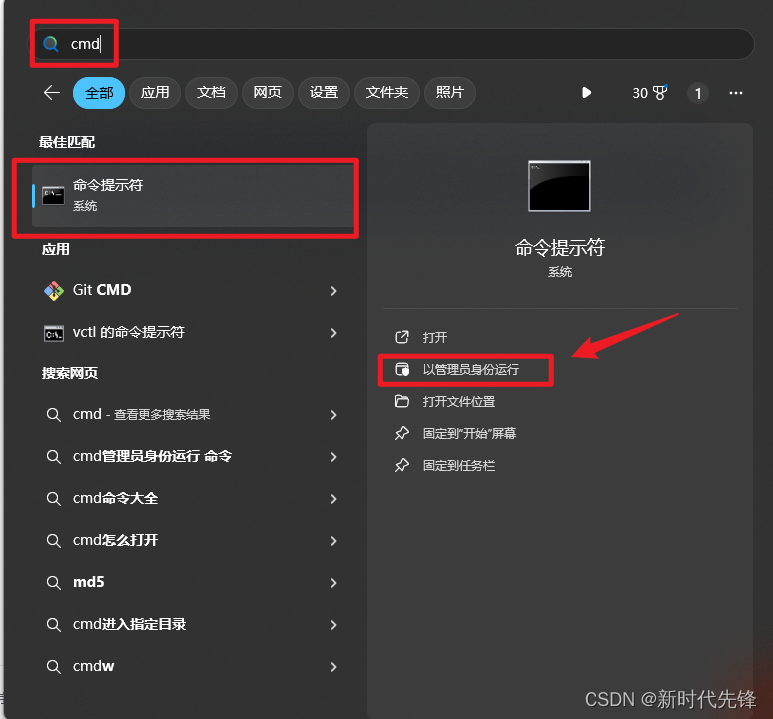
1、开始中找到cmd命令提示符以管理员运行
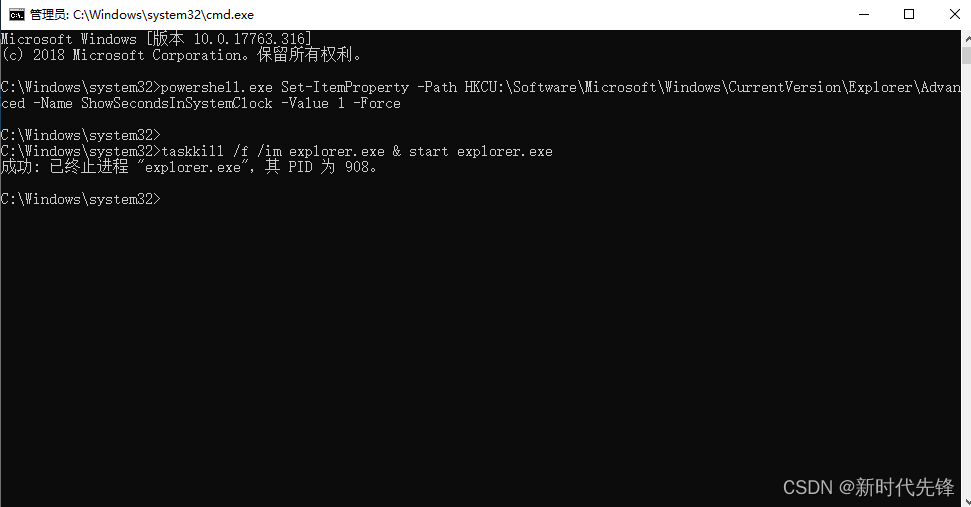
2、在cmd 命令提示符中,依次输入下面两行脚本代码即可
powershell.exe Set-ItemProperty -Path HKCU:\Software\Microsoft\Windows\CurrentVersion\Explorer\Advanced -Name ShowSecondsInSystemClock -Value 1 -Force

taskkill /f /im explorer.exe & start explorer.exe
tips:如果想关闭显示秒数,第一行命令中:-Value 1显示秒数,改为-Value 0不显示秒数